3 Steps to Become Teacher/Author
Complete the creator application process in 3 simple steps
1
Go to Application Page
Choose the creator role you want to apply for
Method 1: Apply from Homepage
After connecting wallet, select "Become an Instructor" on the homepage
https://app.edud.io/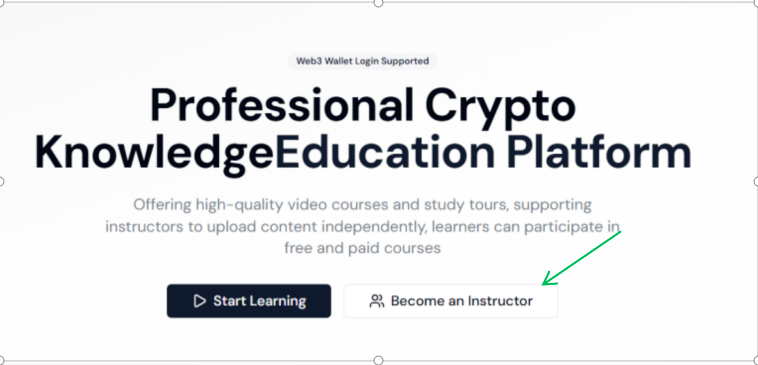
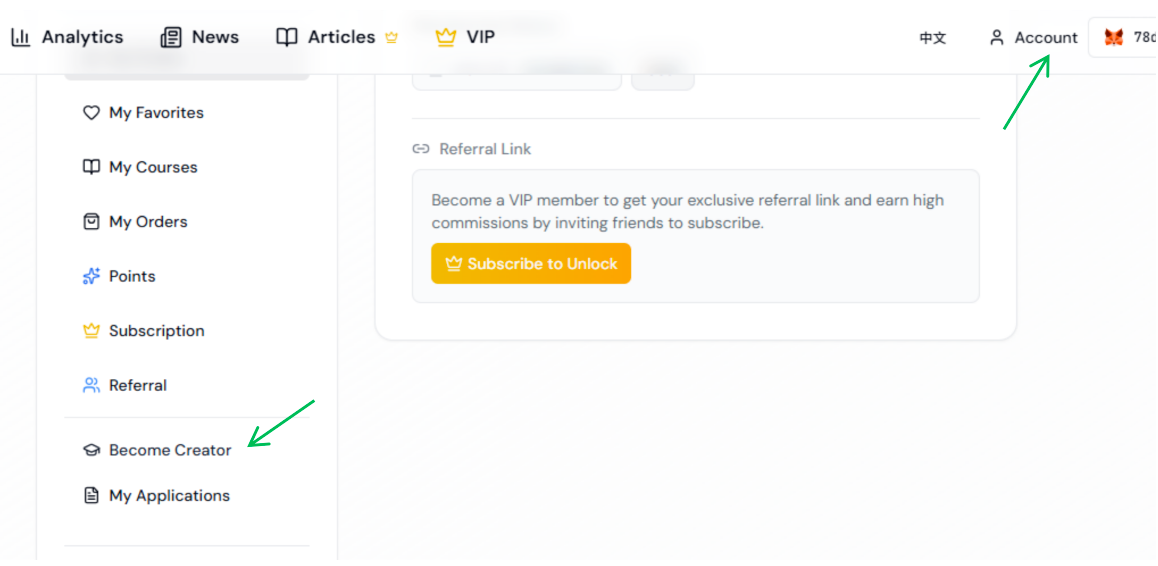
Method 2: Account Management Entrance
Click "Become an Instructor" in "Account Management"
https://app.edud.io/account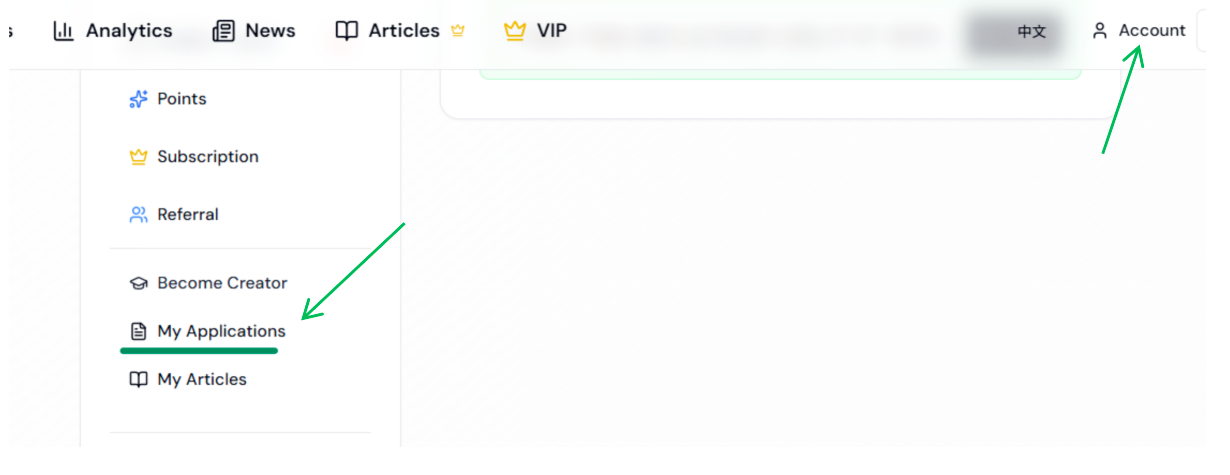
Method 3: Direct Application Link
https://app.edud.io/profile/apply-role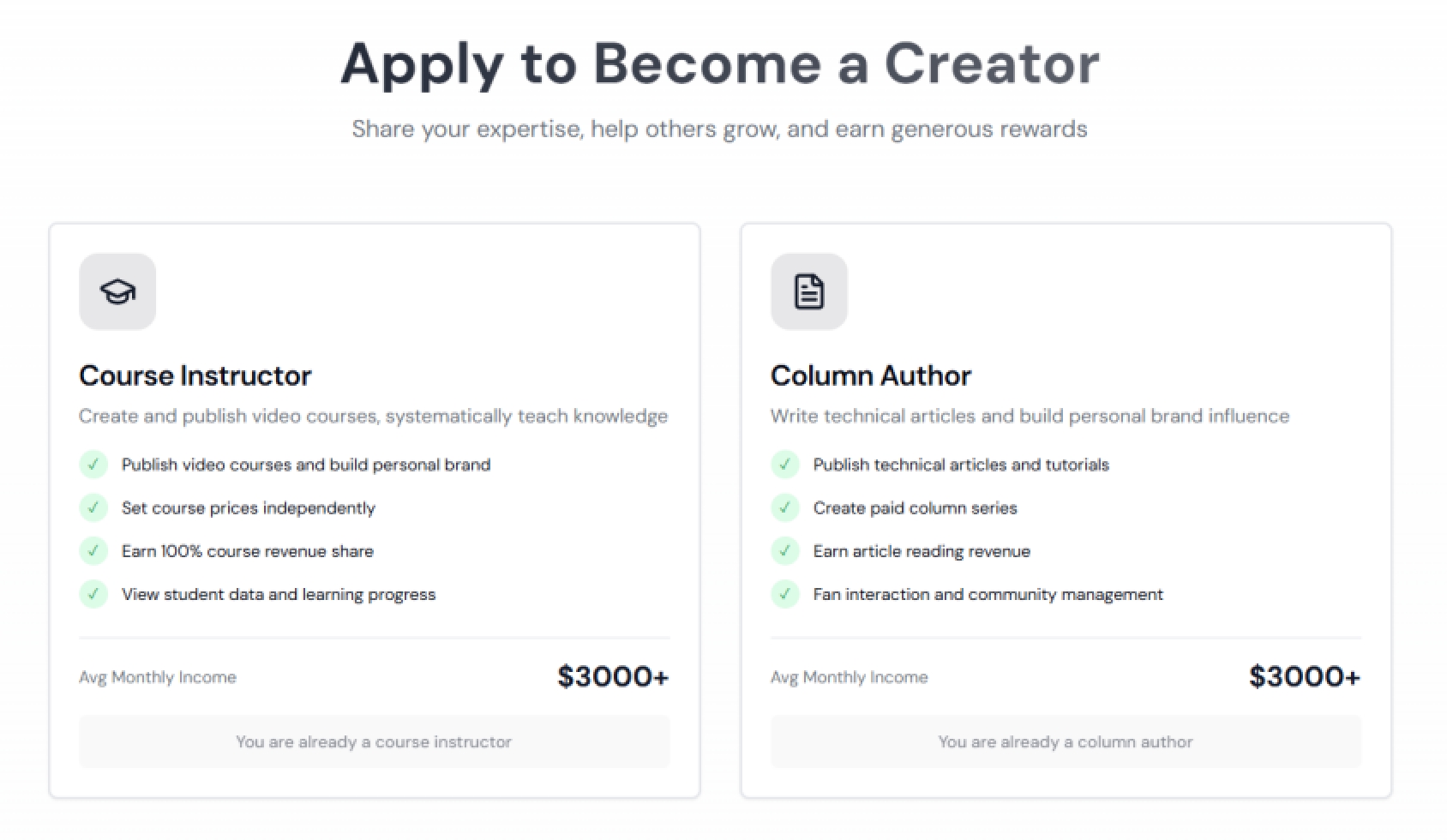
2
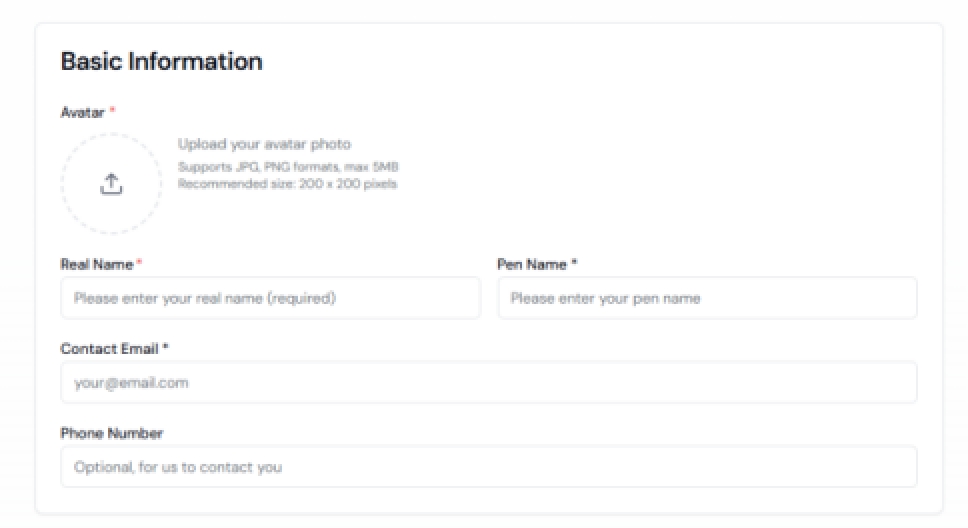
Fill in Application Information
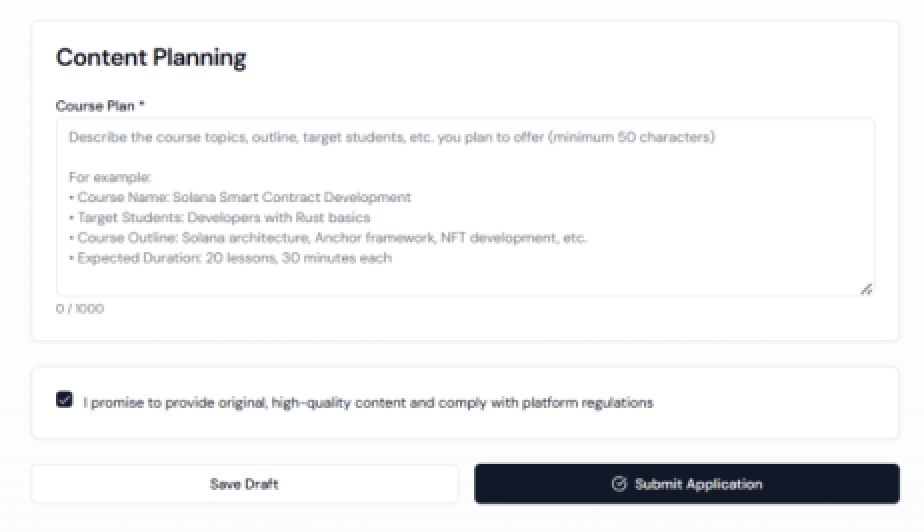
Complete your profile and creation plan
Fill in real name, pen name, title, personal introduction and other information, and explain the application reason in detail
3
Wait for Review Results
Wait for administrator review after submission
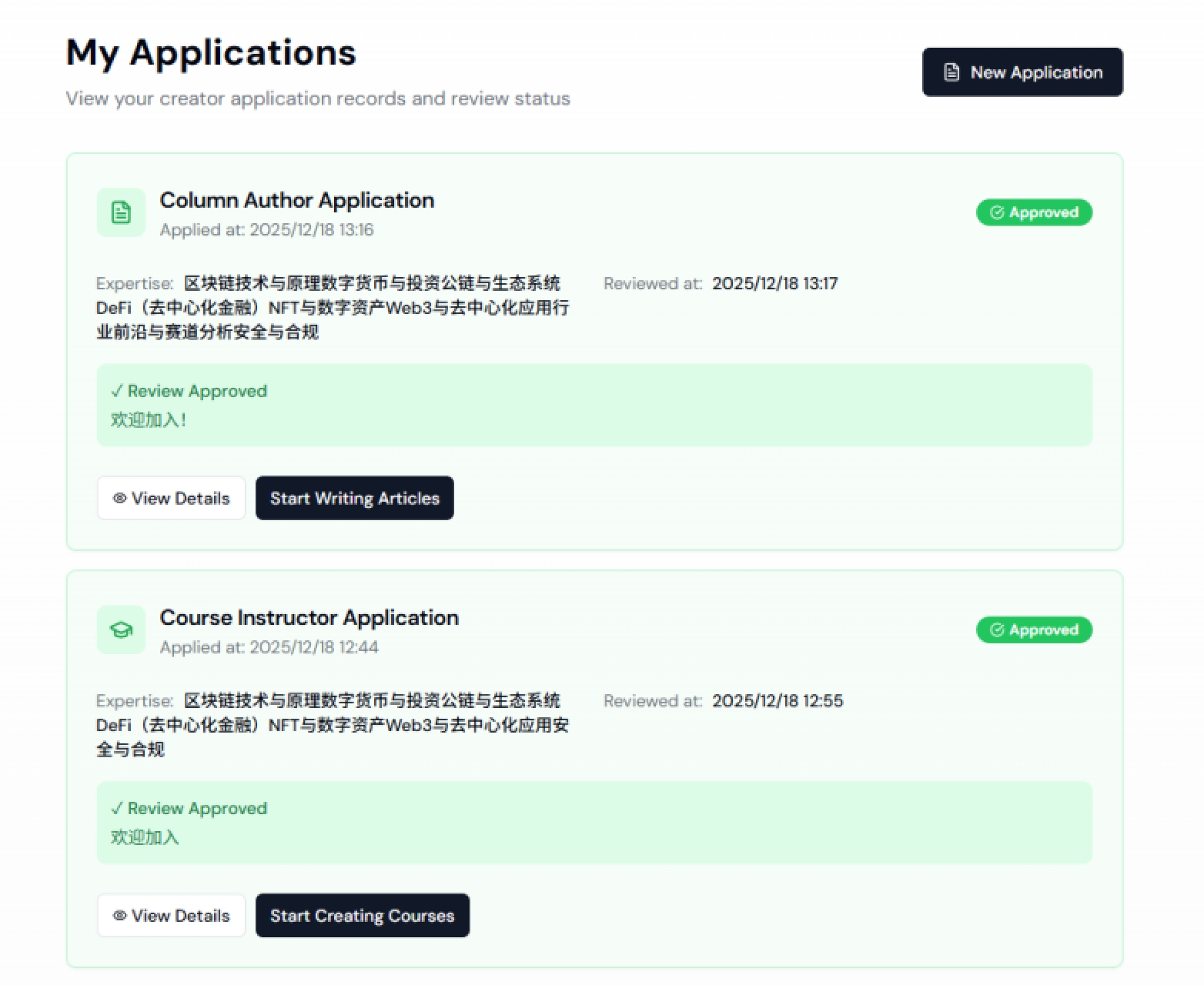
Wow! That's awesome! Congratulations on becoming a teacher! And a columnist! Thumbs up to you! 👍